

Connect a freelance PPC specialist to Google Ads securely in under 15 minutes. Learn the best access levels, setup steps, and troubleshooting tips.
Instead of emailing a Google Ads password to a freelance PPC specialist and hoping nobody touches your billing settings, invite them through Access and security so they work inside your campaigns at a permission level you set from day one. The whole connection takes about 15 minutes once you know which access level to grant.
TL;DR- Freelance PPC specialist Google Ads setup takes under 15 minutes through Access and security instead of sharing a login.
- Standard access lets a freelancer build and edit campaigns without touching billing or account users — the level most contracts need.
- Admin access lets a freelancer add or remove your own account users, so reserve it for long-term agency-style work only.
- Revoke access from the same panel the day a contract ends; no password reset required.
Why this matters
Handing over a Google Ads password gives a freelancer your billing method, your linked accounts, and every campaign in the account at once. There's no record of who changed what, and no clean way to remove access without changing the password and locking yourself out too.
A proper invite through Access and security fixes both problems. You pick the access level, Google Ads logs every change under the freelancer's own account, and you can pull access in seconds when the project ends. Businesses hiring a freelance marketplace for PPC work in 2026 run into this setup step on nearly every new engagement, so getting it right once saves the back-and-forth later.
Before you start
- A Google Ads account already live, even with no active campaigns yet.
- The freelancer's Google account email or their manager account (MCC) customer ID, in the format 123-456-7890.
- Admin-level access yourself, since only Admins can send invitations in Google Ads.
The gotcha that trips people up: sending an invite to a personal Gmail address when the freelancer actually manages clients through their own manager account creates the wrong kind of link. Ask upfront whether they run a manager account — if they do, send the manager-to-manager link request instead of an individual email invite, or you'll redo the whole step.
Set up your Google Ads access invite
- Sign in to Google Ads and click Tools & Settings (the wrench icon, top right).
- Under Setup, click Access and security.
- Click the blue + button.
- Choose whether to invite by email or link a manager account, depending on how the freelancer works.
- Enter the freelancer's email address or their manager account customer ID.
- Select the access level from the dropdown menu.
- Click Send invitation.
Expected result: the freelancer's status appears as Invitation pending under Access and security. They'll get a notification in their own Google Ads account or inbox to accept.
Choose the right access level
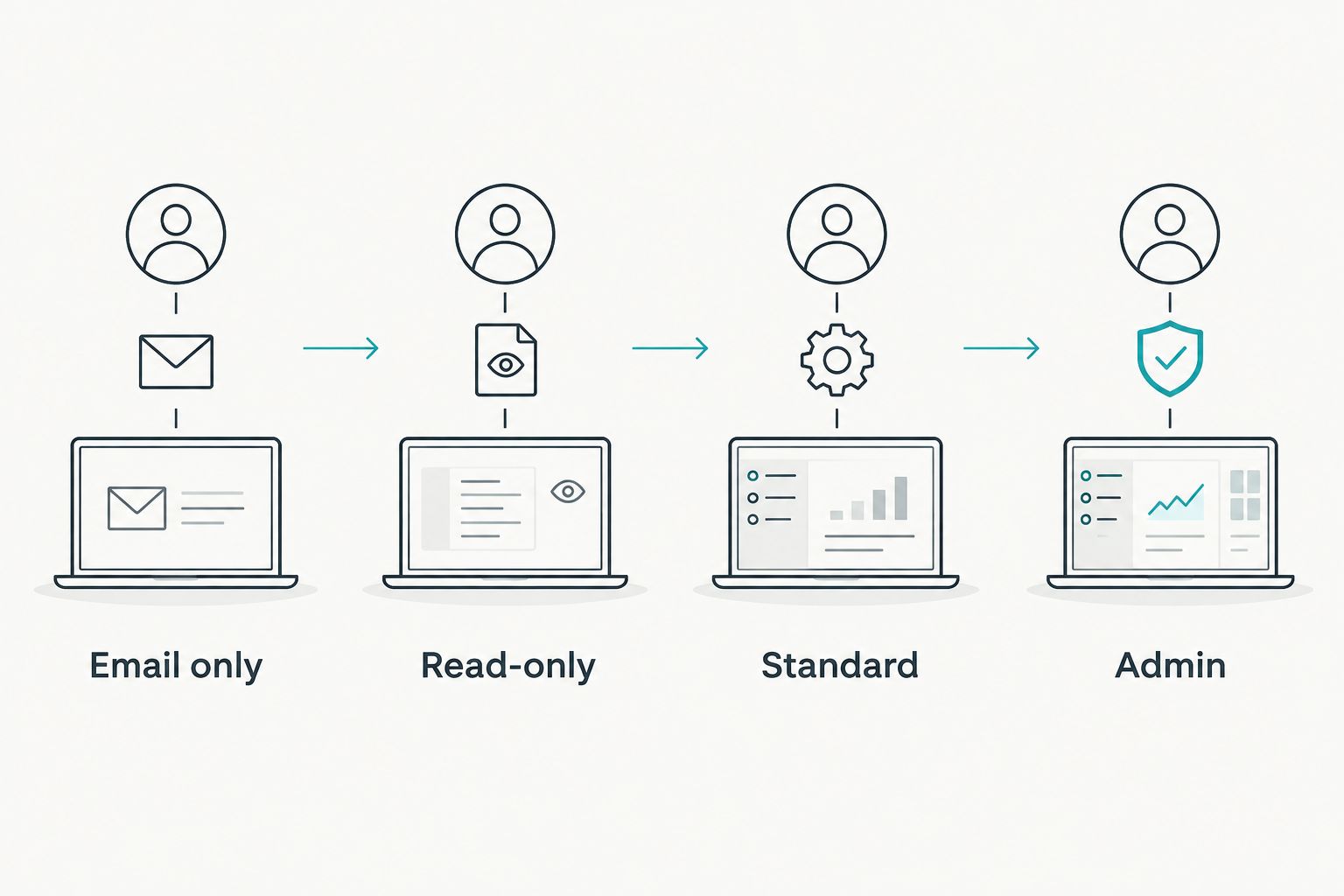
Google Ads offers four access levels, and the level you pick decides what a freelance PPC specialist can and can't touch:
| Access level | What they can do | Best for |
|---|---|---|
| Admin | Full control, including adding or removing other users | Long-term agency-of-record relationships |
| Standard | Create and edit campaigns, budgets, ad copy | Most freelance PPC engagements |
| Read-only | View performance data, no edits | Reporting-only or audit work |
| Email only | Receives automated reports, no login access | Stakeholders who just need updates |
Standard is the right default for a freelance PPC specialist doing hands-on campaign work. It lets them build, pause, and optimize campaigns without giving them the power to add themselves as an Admin or remove your own access later.
Confirm the connection works
- Ask the freelancer to confirm they can see the account name and customer ID in their dashboard.
- Have them build a test campaign and leave it in Paused status — no live spend, just a check that edits save.
- Check that Access and security now shows their status as Active, not pending.
If all three check out, the connection is working and the freelancer can start real campaign work.
Connect a freelancer who runs their own manager account (MCC)
Some freelance PPC specialists manage every client account from one Google Ads manager account instead of logging into each account separately. In that case, the workflow flips slightly:
- The freelancer sends a manager link request from their own MCC using your account's 10-digit customer ID.
- You go to Access and security, click the Manager Accounts tab, and find the pending request.
- Click Accept and choose the access level — Standard, in most cases.
- The freelancer now sees your account listed inside their own MCC dashboard alongside their other clients.
This version is common when a freelancer manages several client accounts at once, since it keeps their reporting and account switching in one place rather than juggling separate logins.
Troubleshooting the Google Ads access invite
- Invitation stuck on pending for more than 48 hours — check the freelancer's spam folder, then resend the invite from Access and security rather than sending a duplicate through a different email.
- Freelancer gets a "you don't have access" error — the customer ID was likely entered wrong, or the invite went to a Google account the freelancer doesn't check. Confirm the exact email or manager ID before resending.
- Conversion tracking breaks after handoff — a freelancer with Read-only access can't edit conversion actions. Upgrade to Standard if they need to adjust tracking.
- Billing details show up under the freelancer's view — this happens when Admin was granted instead of Standard. Downgrade the access level in Access and security; it takes effect immediately.
- Freelancer can't see Google Analytics data alongside Ads — GA4 property access is separate from Google Ads access and needs its own invite through GA4's Admin settings.
Expand the engagement beyond Google Ads
Once the access is live, most freelance PPC specialists ask for the same handful of extras: conversion tracking access in GA4, a shared Google Sheet for weekly reporting, and sometimes access to Meta Ads if the engagement covers paid social too. Set those up in the same sitting rather than one request at a time.
If you're still deciding whether a freelancer or a full agency fits your budget, the breakdown in is a freelance growth marketer better than an agency covers the tradeoffs. And if you want a sense of what a project-based PPC engagement typically runs, digital marketing freelancer costs for SMBs lays out the ranges reported in 2026.
Hire a vetted PPC freelancer
Browse marketing and CRM freelancers ready for project or hourly work.
Find a freelancerFAQ
What's the best Google Ads access level for a freelance PPC specialist?
Standard access is the best fit for most freelance PPC work in 2026. It lets the freelancer build and edit campaigns without touching billing or the ability to add or remove account users.
How long does it take to connect a freelancer to a Google Ads account?
The invite itself takes under 15 minutes. The freelancer's acceptance can happen instantly or take up to 48 hours depending on how quickly they check their notifications.
Can a freelancer see my billing information after I grant access?
Not with Standard, Read-only, or Email-only access. Only Admin access exposes billing and payment method details, which is why Admin should be reserved for long-term relationships.
Is it safe to share a Google Ads login with a freelance PPC specialist?
Sharing a password gives full account control with no activity log tied to the freelancer's own identity. An Access and security invite avoids that entirely and lets you revoke access without changing your password.
Do I need a manager account (MCC) to hire a freelance PPC specialist?
No. A standalone Google Ads account works fine for direct email invites. A manager account only matters if the freelancer manages several client accounts from one dashboard.
How do I revoke a freelancer's Google Ads access after a project ends?
Go to Access and security, find their name under Users, and remove their access. It takes effect immediately and doesn't require a password reset.
Can a freelance PPC specialist manage Google Ads and Meta Ads together?
Yes, but the two platforms require separate access invites. Google Ads access through Access and security doesn't extend to a Meta Ads Business Manager account.
One last thing
Most businesses default to granting Admin access because it feels like the "full" option, but that's the setting that lets a freelance PPC specialist add or remove your own account users. Standard access covers everything a freelancer needs to run and optimize campaigns in 2026 — Admin should stay reserved for a specialist who's effectively running the account long-term, not a project-based hire.
Related guides
- Best freelance marketplaces to hire marketing talent in 2026
- Is a freelance growth marketer better than an agency
- How much does a freelance growth marketer cost monthly